


Encrypted On Your Device
Training records and saved progress photos are kept in private, encrypted app storage.
Privacy And Data
No adverts. No sale of your personal information. Understand local storage, required account access, and optional web and cloud services.

Find backup, restore, and optional diagnostic history controls.
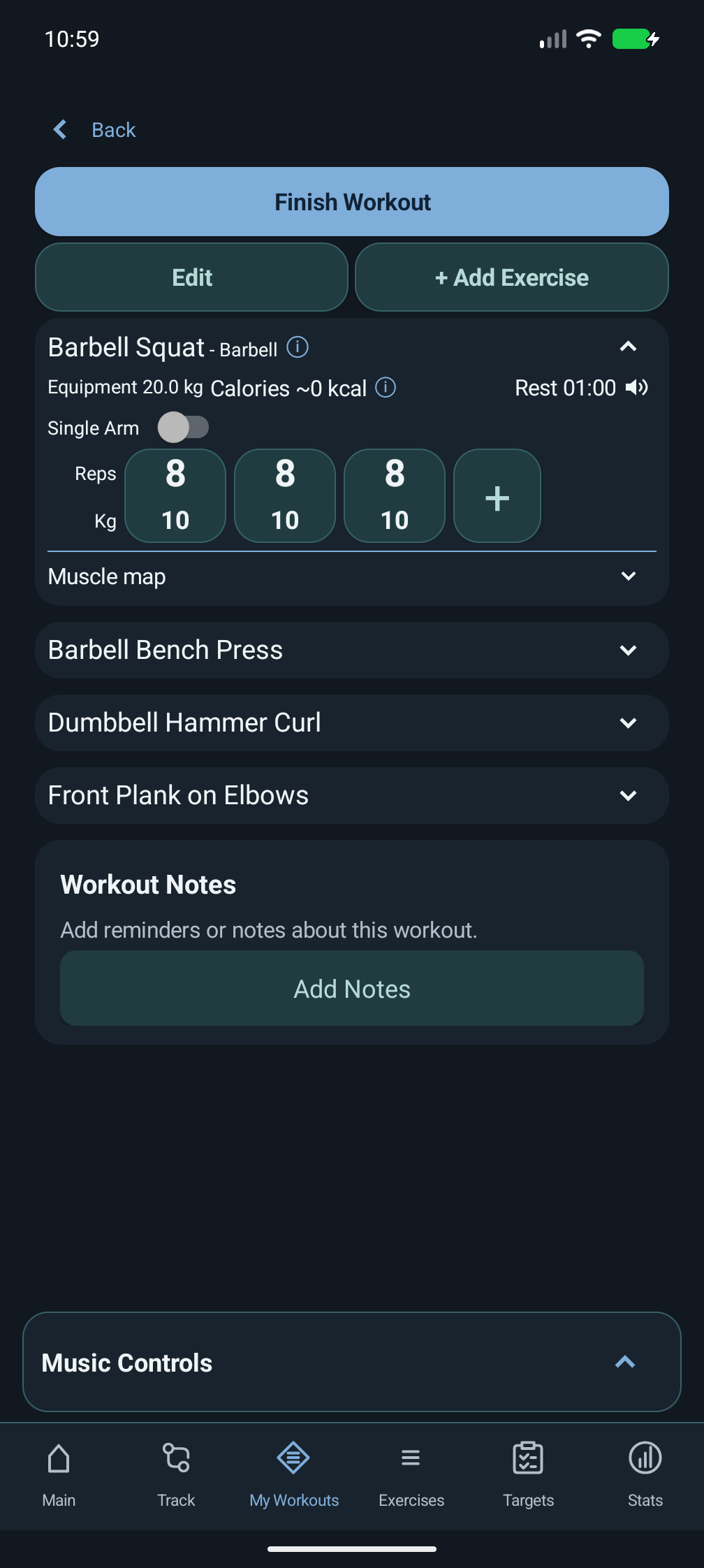
Current Android screens with sample records. No customer information is shown.
Our Privacy Commitment
Your training records, health information, and progress photos belong to you. FIVE25 and Verusoft never sell or rent your personal information, and we never publish your private training records or photos, or share them for advertising.
Your journal stays encrypted on your device. You choose whether to export it or save a backup with a cloud provider. Your choices do not give us ownership of your data.
Training records and saved progress photos are kept in private, encrypted app storage.
Export a file to a destination you choose. Updated app builds also offer optional phone-to-Connect sync, described below.
Add a password to encrypt the file. An unprotected backup contains readable data.
The device key cannot move to another phone. Make a portable backup before changing devices.
FIVE25 is operated by VERUSOFT LIMITED, registered in England and Wales, company number 17512458.
Contact support@five25.app about privacy or information you have sent us. Visit Verusoft for company information. Notice updated 25 October 2026.
The support form sends directly through our website to the selected FIVE25 contact address. We receive your reply email, optional name, subject, message, topic-specific details, and any optional screenshots you attach. Up to three PNG, JPG, or WebP screenshots can be submitted, 5 MB each. Hide personal information before sending. Backup files are not accepted. Namecheap supplies our hosting and email infrastructure. No training journal is uploaded by this form.
If you request an emailed copy, we also process the copy address you choose and send the same submitted details and screenshots there. Only choose an address you control or have permission to use. A copy may include sensitive details you entered. Uncheck the copy option if you do not want another email copy created.
We use support information to answer enquiries, troubleshoot problems, and improve our products. Our lawful basis is legitimate interests in providing support and keeping the service secure; enquiries necessary before a purchase may instead rely on steps taken at your request before a contract. We do not add you to marketing lists because you contact us or request a copy.
The form uses a necessary session cookie to prevent forged submissions. It is not used for advertising or cross-site tracking. Screenshot uploads are checked and re-encoded to remove embedded metadata before being attached to the support email. Visible information in the image remains. Uploads are processed temporarily; the website does not create a public image link or retain a separate screenshot archive. Email attachments follow the support-correspondence retention policy, including copies and backups. Short-lived abuse-prevention counters use keyed hashes of the connection address and submitted email addresses, rather than storing message bodies. Counters expire after one hour and are removed during subsequent form requests.
Namecheap provides hosting and email infrastructure. Hosting, mail, and security records may be processed in its operating locations and by authorised subprocessors. Namecheap publishes its processing terms and international-transfer safeguards in its Data Processing Addendum. Email copies can also exist in our mailboxes, devices, and private archives. Namecheap Data Processing Addendum
Depending on the information and our lawful basis, you may request access, correction, deletion, restriction, or portability of information we hold about you. Where processing relies on consent, you can withdraw that consent. We may ask for proportionate information to confirm your identity before disclosing personal information.
Your Right To Object: You can object to processing based on legitimate interests. Explain your concern when contacting support so we can consider it.
You can raise a concern with us, and you also have the right to complain to the UK Information Commissioner's Office: https://ico.org.uk/make-a-complaint/. Other applicable local rights may also be available.
We cannot access a journal that stays only on your phone. Delete or export those records within the app. We strongly recommend making a backup before deletion, but making a backup is not a condition of a valid deletion request.
Your name and optional device details are not required to contact us. A reply email and sufficient details about the question are needed to respond through the form. We do not use submitted support messages to make automated decisions with legal or similarly significant effects.
We believe in earning our money the old-fashioned way: by creating useful products that people choose to pay for.
FIVE25 is intended to be funded by paid licences and subscriptions, never by adverts or the sale or lease of your private information. We do not enter partnerships that let another business use your private data for its own commercial purposes.
Providers may process information only as needed to deliver services you choose, under appropriate safeguards. That does not permit them to use your private data for their own advertising or commercial purposes.
You pay for the value we provide. Your personal information is never part of the price.
Your data belongs to you. FIVE25 and Verusoft never sell or rent your personal information, and we never publish your private training records or progress photos, or share them for advertising. We do not use your health data for advertising.
Your journal stays encrypted on your device unless you choose to export it. You decide whether to create a backup, include photos, or save a file with a cloud provider. Choosing an external destination means that provider handles the file under its own privacy terms; it does not give FIVE25 ownership of your data or permission to sell it.
Depending on what you use, your journal may contain workouts, sets, repetitions, weights, notes, exercise definitions, schedules, plans, goals, distance activities, measurements, and progress photos. Optional profile details, such as age, sex, height, units, country, or birthday, support the settings and estimates you choose to use.
Connected health features can also read permitted steps, exercise sessions, distance, and calorie information. Imported activity can become part of your local training record. You choose what to enter and which optional connections to enable.
Training records and saved progress photos are encrypted in the app’s private storage using AES-256-GCM. The encryption key is held by Android Keystore and belongs to that device. It is not a recovery key you can copy to another phone.
FIVE25 requires a signed-in account with a verified email before you can use the journal. Accounts on the same phone have separate encrypted local training, photos, and settings. Signing out keeps that account's records; signing into another account opens its own records, and returning to the original account restores access to its records. Signing in alone does not upload the phone journal. Optional phone sync must be enabled separately in supported app builds. Device encryption protects stored files, but someone using your unlocked phone may still be able to view the signed-in account. Keep your device lock enabled.
Photos you capture or import into the progress journal are saved as encrypted app copies. The journal supports dated comparisons and choosing a photo for Stats. Imported originals in your gallery are separate files and are not removed when you delete the FIVE25 copy.
The app’s saved photo copies are re-encoded rather than copying the original EXIF metadata. A photo can still identify you through what is visible in the picture. Include photos in a backup only when you want to, and treat any image you share outside the app as a separate copy.
Create a portable backup through Backup and Restore, then choose a destination using Android’s document picker. You can save it to a phone folder, transfer it yourself, or choose an available cloud drive. Backups are created when you request them; there is no automatic FIVE25 backup schedule.
Password-protected backup is the default selection, but you can choose an unprotected file. Without a password, anyone who obtains the file can read its records and included photos. Encryption on your phone does not automatically encrypt an exported backup.
Protected backups use AES-256-GCM with a password-derived key. The password is not stored for recovery. A forgotten password cannot be recovered by FIVE25 or Verusoft. Keep it somewhere safe, separately from the backup.
Photos are excluded by default and can be included explicitly. The current archive supports up to 48 MB of expanded records and photos, with a 64 MB archive-file limit. A backup is a snapshot: later edits do not change a previously exported file.
If your chosen provider appears in Android’s document picker, you can save a backup there. This document-picker option saves a file with your chosen provider. FIVE25 Connect is a separate, optional account workspace described below.
Your provider handles the upload, account, storage region, retention, version history, sharing permissions, and any provider fees. Available providers depend on what is installed and enabled on your phone. Provider behaviour, including offline uploads and syncing, is outside FIVE25’s control.
Use a password-protected backup, check the upload has finished, and keep the cloud account private. If you choose an unprotected backup, the provider receives a file containing readable records and any included photos. Removing a backup from one location may leave copies in other devices, trash, or version history.
On another compatible Android device, install FIVE25, open Restore Backup, choose your file, and enter its password if protected. Review the preview before confirming.
The current restore is additive: it adds missing records, keeps existing local records and settings when there is a conflict, and reuses photos already present where possible. It does not act as a full overwrite of the phone’s current journal. Damaged, unsupported, or incorrectly unlocked archives are rejected.
Health and media permissions must be granted again on the new phone. FIVE25 opts out of Android automatic app cloud backup and device-transfer backup. Do not rely on a normal phone migration to carry this journal across. Export a backup before uninstalling, clearing app storage, replacing, or resetting your phone.
Without a usable exported backup, loss of the device or its encryption key can mean loss of the records. Support cannot remotely recover a journal that was only stored on your phone.
Health Connect is optional and read-only. With your permission, FIVE25 can read shared steps, exercise sessions, distance, active and total calories, weight, body fat, and height. Only records published by compatible source apps are available. FIVE25 does not write your workouts back to Health Connect.
Basal metabolic rate, body water, bone mass, and lean body mass imports are not available in this launch version. Previously saved local measurements are retained until you delete them.
Revoking permission stops new reads. Deleting imported records from FIVE25 does not delete their originals in Health Connect or the source app.
Online maps contact map providers, including OpenFreeMap and, where selected, OpenStreetMap. Requests include your network address, app/network information, and the map tiles or area being viewed or downloaded. The requested area can reveal location, particularly when the map follows your position. GPS activity records remain in local app storage unless you choose to export or share them. Online routing is not configured by default; if you explicitly configure a supported routing provider, selected route coordinates and the provider credential are sent to that provider.
Custom exercise video links open in an external app or browser, rather than an embedded FIVE25 player. The video provider’s own terms, privacy policy, cookies, and advertising practices apply there. FIVE25 passes the video URL you chose and does not attach your training journal, health records, account session, or photos. Built-in video downloads are not offered in this beta; previously saved files can still be removed using the available storage controls.
Built-in exercise demonstrations are served privately to signed-in FIVE25 members, including Free members. Requests include your account authorisation and the video selected, but do not include your workout journal, measurements, or photos. The app checks each video before playback and may keep a temporary copy in its private device cache. Access is checked through your account rather than a video link with a fixed expiry date.
The public beta is intended for people aged 13 and over, including teenagers, and is not directed to children under 13. Age-appropriate supervision and the terms of external services still apply. FIVE25 is a fitness journal, not a medical device, and its estimates are not a diagnosis or medical advice.
Optional screenshots, diagnostic attachments, names, and messages sent through support become support correspondence. Do not include private health records or progress photos in a report. You can request deletion of support information using the contact details below; data held by an external provider remains subject to that provider's terms and applicable rights.
| Access | Why It Is Used |
|---|---|
| Camera | Progress-photo capture and related camera tools when you use them. |
| Selected Documents | Open chosen photos or backup files, and save an exported backup to the location you choose. |
| Health Connect | Read the health and activity types you permit. |
| Media-Session Access | Android exposes active sessions through notification-listener access. FIVE25 uses playback information and controls for compatible players. Its current listener does not read or save notification contents. |
These optional integrations are not required for basic manual workout logging. Revoking access stops the relevant integration from accessing new information; it does not automatically remove data already saved in your journal.
Choose Settings → Account And Membership → Delete Account in the app to remove your FIVE25 online membership, preferences, age-confirmation record, beta participant record, Connect training records, and Connect cloud backups. Confirm your current password or the same Google account, and type FIVE25. An unused Verusoft sign-in is also deleted. If a separate Verusoft website or community profile or its retained service records still use that sign-in, it is preserved for those services.
After online deletion is confirmed, FIVE25 automatically removes that account's saved training, birthday, measurements, progress photos, account session, and settings on that device and returns to sign-in. Other accounts' local records are kept. If device cleanup is interrupted, the next sign-in screen offers Erase Device Data to finish removing the deleted account's records. Minimal local routing hashes and deletion counters are retained to keep account storage separate and prevent interrupted saves from restoring erased data. They do not contain the deleted account's UID, email, training, or photos.
You can also delete your FIVE25 online account through our website without reinstalling the app, or email accounts@five25.app from your registered address to request deletion. We verify ownership before acting. Do not send your password. The website cannot erase records held only on your phone. Android Settings can clear FIVE25 storage, but this removes every account's local records from that app; export any records you want to keep first.
Exported backups, original gallery photos, shared files, and copies held by other providers remain separate and must be deleted independently, including provider trash or version history where available. Local deletion does not remove original records from Health Connect or another source app. Account deletion does not cancel a store subscription.
The app does not automatically send your journal to a Verusoft backend. Optional support reports and SDK diagnostics are described separately in this notice. Service-provider backup copies may remain until the providers' backup retention periods expire; they are not used to reactivate an account you have deleted.
This website has no analytics script, advertising tracker, or embedded social widget. Its Support form uses a necessary security session cookie when hosted. Namecheap hosting generates access and security logs, which can include IP address, requested page, browser information, and access time. We use technical information for service operation, security, and troubleshooting.
If you email support, you send us your email address and whatever you include in the message. Share only the details needed to explain the problem. Do not send passwords, backup passwords, private progress photos, or full health records. We may need your app version, device model, Android version, and a description of the issue.
Discord and, when available, GitHub are external services with their own accounts, visibility settings, and privacy policies. Joining the server or posting an issue does not upload your FIVE25 journal automatically. Community posts may be visible to others, so keep sensitive information out of public channels.
See Discord’s Privacy Policy and GitHub’s Privacy Statement for how those services handle their own data.
FIVE25 requires a verified Verusoft account. Google Firebase Authentication processes your email address, sign-in provider information, and authentication credentials. Google sign-in uses the Google account you choose; email/password sign-in sends your password directly to the identity provider over HTTPS. FIVE25 does not store your password.
The app keeps its account session encrypted on the device using Android Keystore. Our Cloudflare-hosted account service validates the identity token and stores your FIVE25 membership and encrypted age confirmation under an opaque account key. The account service does not receive your birthday, workout journal, measurements, or progress photos when you sign in. Google and Cloudflare process the network and technical request information needed to operate these services.
Signing in does not enable training uploads, cross-app sharing, automatic cloud backup, or a paid subscription. Separate website and community profiles use the shared Verusoft identity and remain separate from your private phone journal.
For beta participants, we keep an encrypted contact record containing your email address, beta cohort, and first participation date under your account key. This lets us identify the original beta group after release and send essential beta, account-access, and release-transition notices. This participation tag does not itself grant paid access and does not enrol you in optional marketing. The tag is kept while your FIVE25 account exists and is removed with account deletion. Optional marketing remains controlled by your separate communication preference.
The account and Connect services automatically record limited access-failure, sync-failure, and backup-failure events for security and troubleshooting. These records contain timestamps, error categories, and pseudonymous account or request-source keys; they do not contain your training records, passwords, or message contents. These routine records expire after 30 days. This is separate from optional diagnostic attachments that you choose to send. The timer does not delete your training history, support correspondence, or billing evidence, which are handled according to their separate purpose and applicable retention obligations.
FIVE25 Connect provides an optional browser workspace. When you explicitly enable its cloud sync or backup controls, saved workouts, history, measurements, activities, imported health summaries, custom exercises, Targets, optional profile information such as birthday or age, and relevant settings are uploaded to your own FIVE25 account over HTTPS and stored in encrypted records on our Cloudflare-hosted service. Photos and workouts in progress are excluded from these transfers. New-account automatic cloud controls default off. You can review transfers, turn the controls off, export data, or delete Connect cloud data. Switching a control off keeps existing cloud records until you delete them; account deletion removes the associated Connect data. Phone sync is available only in updated app builds that show the Phone And Connect Sync controls. Earlier beta builds use a backup file you choose and review. In supported builds, choosing to compare records sends a photo-free training snapshot to your account for comparison. Review the first transfer, and choose which phone or Connect version to keep for each differing record before it is overwritten. Optional phone auto sync runs while FIVE25 is open on Main and pauses for conflicts. An encrypted phone recovery copy is saved before applying changes. Photos, active workouts, and outdoor files are excluded from phone sync. Turning sync off retains existing cloud records until you delete them; signing in alone does not upload the journal. Preparing offline Connect access also uses a random browser identifier to bind a time-limited signed access proof to that browser and account. This is an access-security measure, not an advertising identifier.
Connect cloud sync and backup are optional and default off for a new account. Cloud backups exclude photos and workouts in progress. Automatic backups, when enabled, are limited to one successful backup in seven days.
The current service keeps the latest verified successful backup. A replacement must be verified before the previous backup is removed; the service does not currently offer a 30-day or 60-day restore-point history. Interrupted uploads can be resumed or cancelled. The latest verified backup is kept until a successful replacement, explicit cloud-data deletion, or account deletion; moving to the Free tier does not by itself erase it.
Deleting FIVE25 online account data removes its Connect records and cloud backups. Local app erasure, exported backup files, and data belonging to other Verusoft services remain separate as described in Keeping And Deleting Your Data.
The normal Android app can keep a bounded local diagnostic history of recent interactions and technical events, rolling over within 24 hours and limited to approximately 1 MB. It avoids health values, passwords, and user-entered notes. You can control it in Data And Privacy. The history can include the package identifiers of media players selected for FIVE25 music controls and technical session identifiers. It does not copy notification contents or song titles. Attaching this history to a support report is optional and requires your choice; it is not automatically uploaded. Submitted logs become part of the support correspondence.
Crash reports can additionally retain up to 48 KB of technical error locations, app and Android versions, device model, and recent screen and button actions locally for up to 24 hours. They exclude exception messages, workout contents, account details, and photos. Nothing uploads automatically. Choosing Send Technical Report sends this technical information; an explanation and reply email are optional.
To request deletion of information submitted to FIVE25 support, email support@five25.app from the address used for the enquiry, with the subject "FIVE25 Data Deletion Request". Identify the enquiry or approximate submission date; do not send your training journal or identity documents. We can delete support messages, contact details, screenshots, and diagnostic attachments from the records we control. We may retain material needed for security incidents or legal claims, and explain any exception in our response. Provider backups expire on their own cycles; copies held by you or another recipient remain under their control. There is no automatic fixed deletion period for active support correspondence; see Website And Support Information above.
Contact support@five25.app with privacy questions or requests relating to information you have sent us. App records stored only on your phone are not accessible to support; you manage them on the device and through your own backup files.
This notice covers this website, the launch candidate Android app, and the optional FIVE25 Connect account workspace described above.
The Live Demo Five25 page uses separate sample records saved in your browser’s local storage. It does not connect to a FIVE25 account or read your Android app records. Any photo or audio file you choose stays in your browser and is not uploaded. Browser-local demo storage is not encrypted. You can reset the demo in Settings, or clear your browser’s site data.
Downloaded demo backups contain only demo records and any photos you added. An optional password encrypts the backup in your browser. Music files are served from the website; normal hosting access logs may apply. Health and device connections are clearly labelled simulations. No adverts or tracking scripts are added by the demo.
When you request a launch notification, Verusoft stores your email address, verification status, signup date, and the wording of your consent privately. We send a verification email and, after you confirm, a notification when FIVE25 launches on Google Play. Signup notifications go to hello@five25.app. This does not create an app account or subscribe you to a general newsletter. Our hosting and email providers process this information to provide the service.
You can withdraw at any time using the unsubscribe link in your email or by contacting hello@five25.app. Unverified requests expire after seven days. We delete launch-list records within 30 days after the launch notification has been sent. Your browser remembers dismissal for seven days and remembers a successful request to avoid showing the popup again; clearing site data removes that preference.