
The Feature Catalogue
Every Detail.
More Possibilities.
Explore the tools being built into the FIVE25 Android fitness journal: workout planning, set and rep logging, progress charts, photos, health connections, and portable backups.
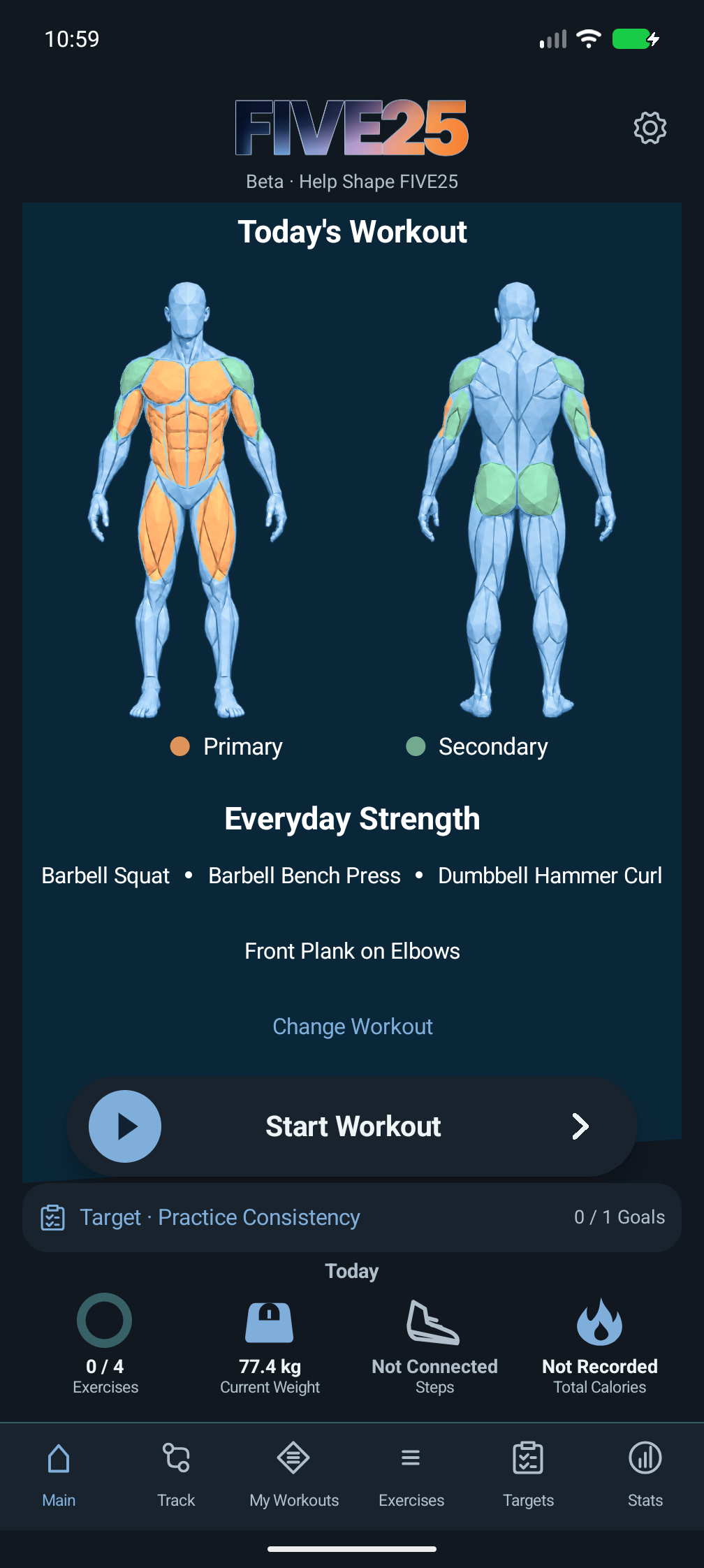
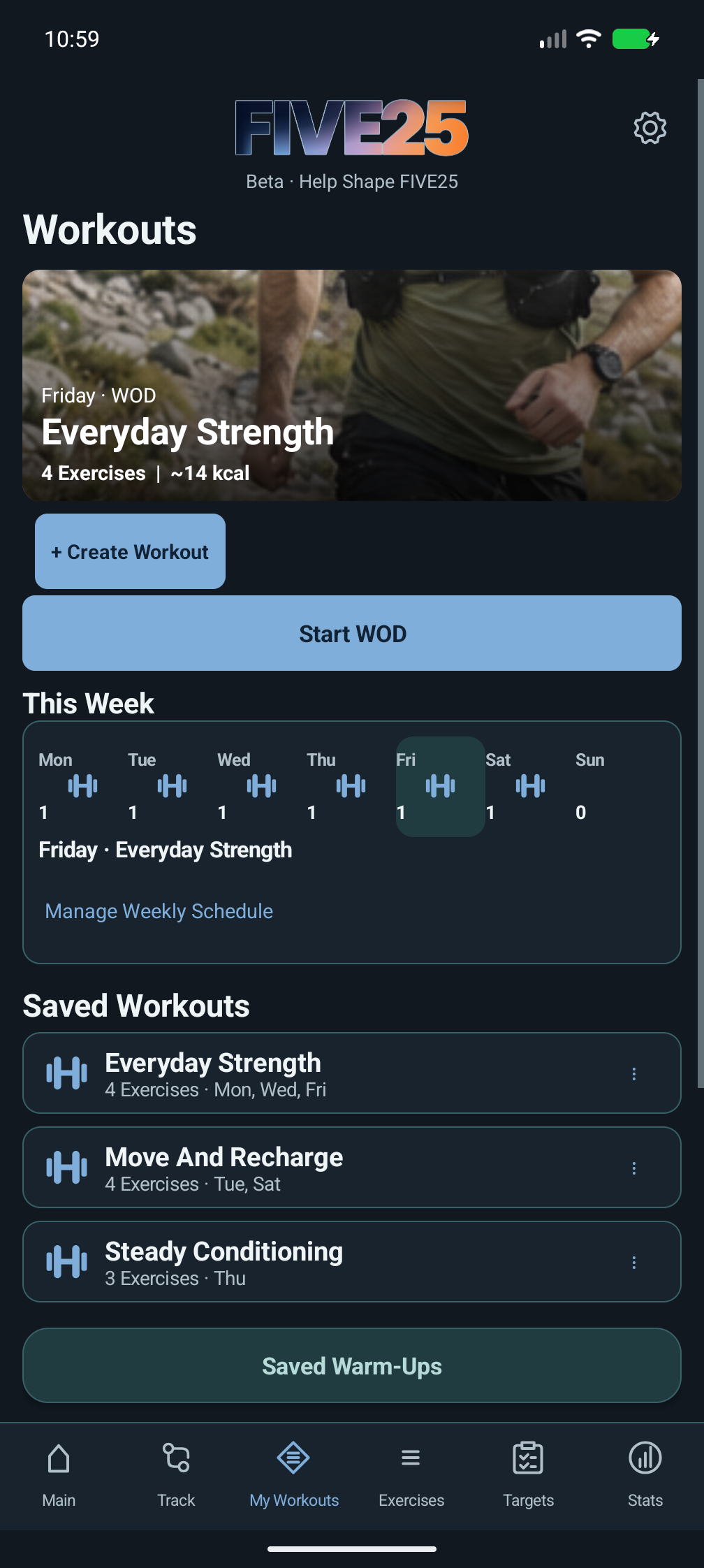
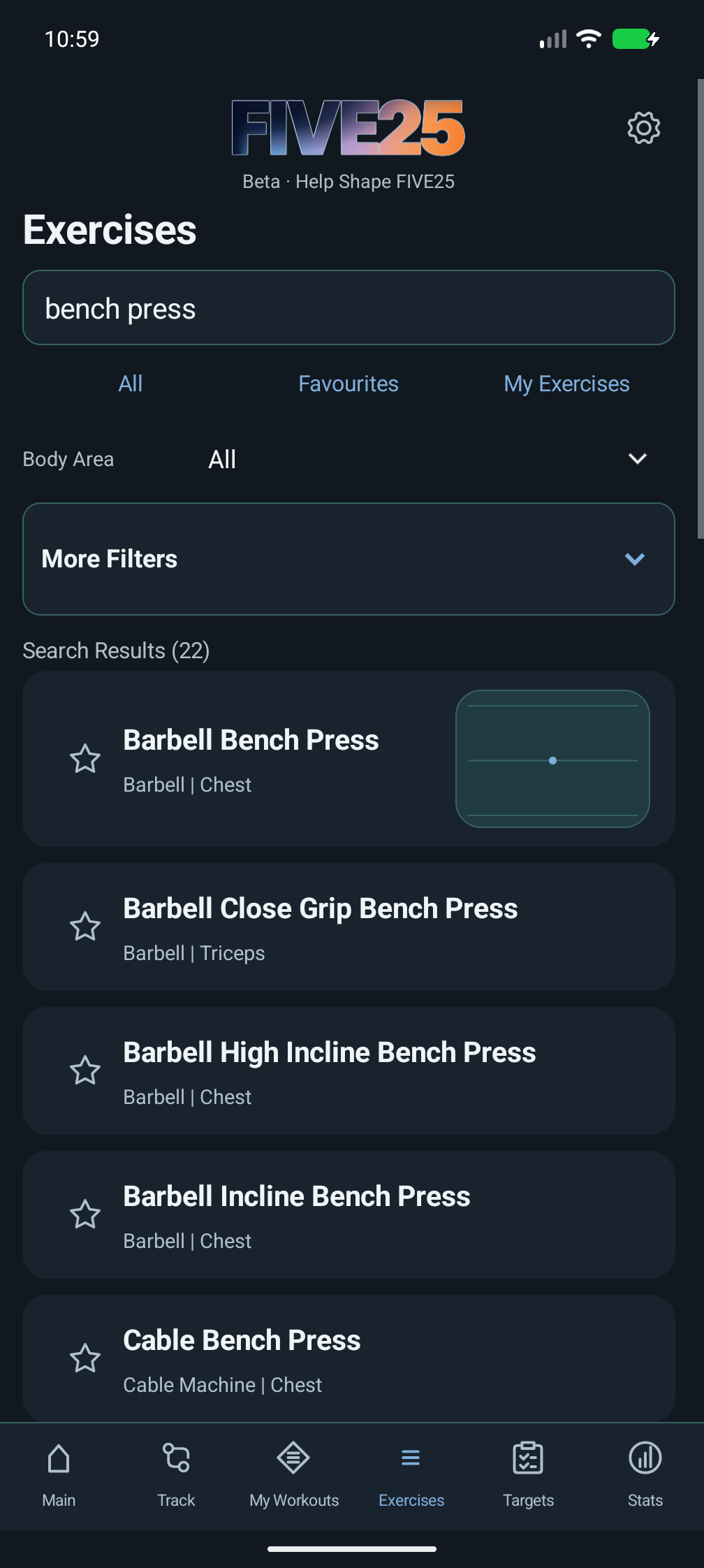
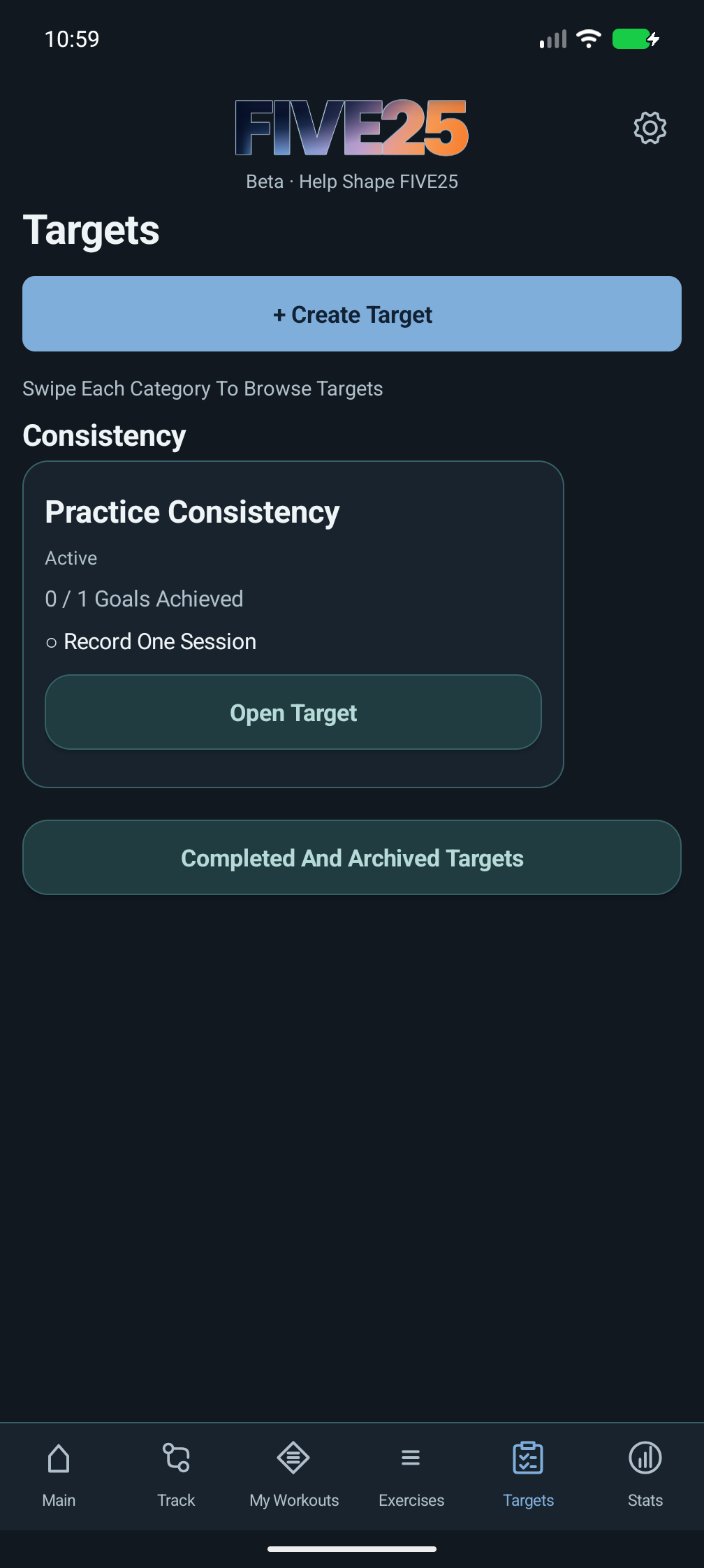
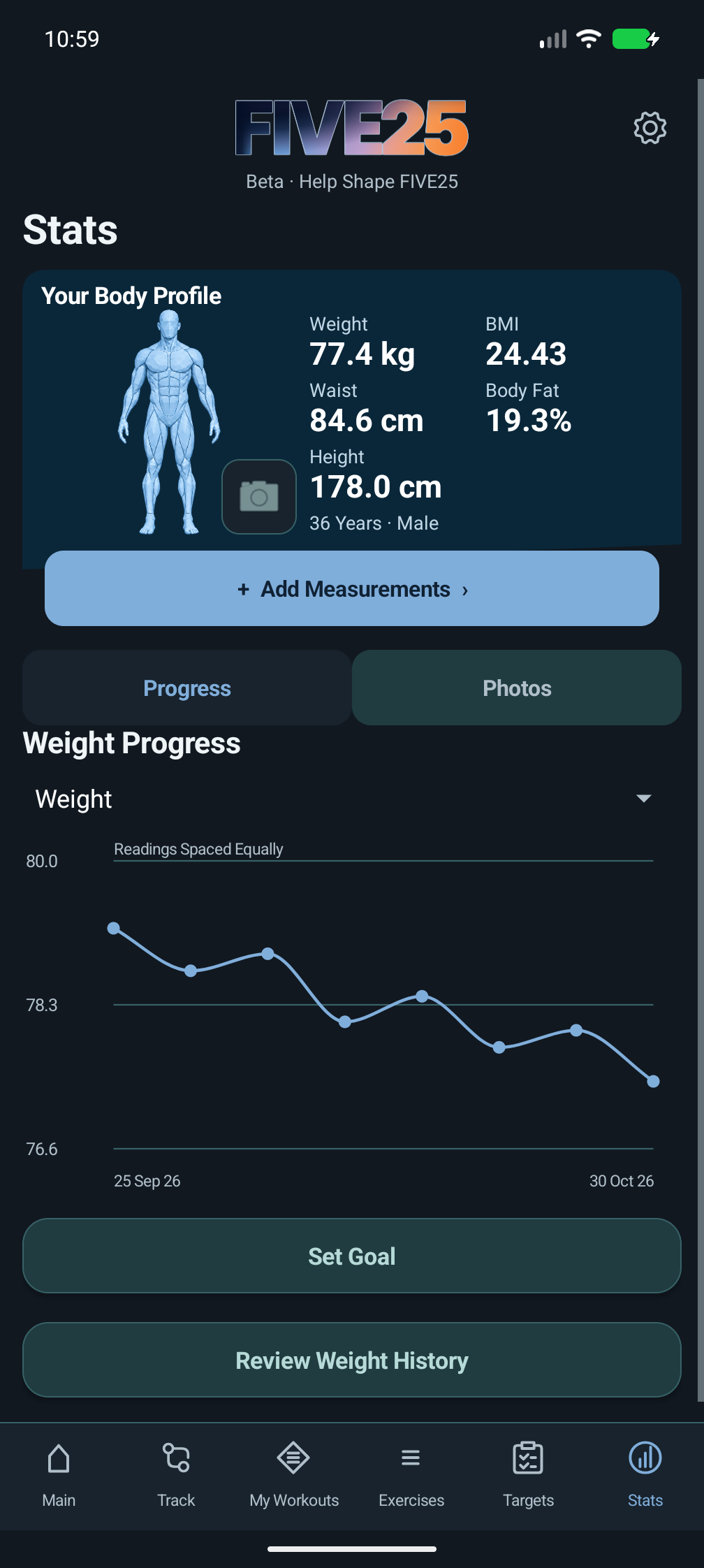
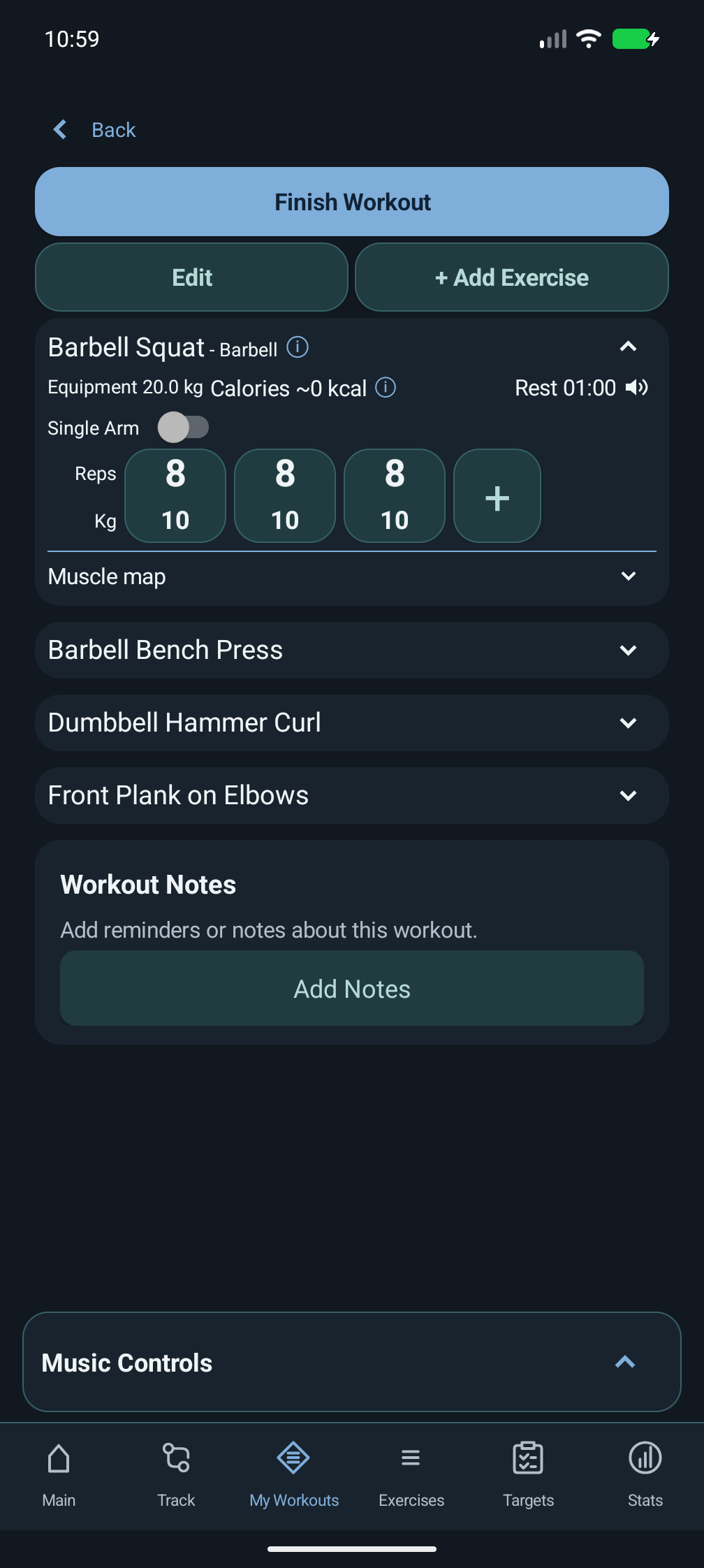
Your selected workout, muscle map, compact Plan highlight, and today’s metrics.
No Matching Features
Try another search or reset the filters.
Workout Planning
Build a routine, prepare the session, and organise your week.
| Feature | What It Does |
|---|---|
| Reusable Workouts | Create named workouts containing the exercises you want to repeat. |
| Workout Editing | Rename workouts and add, remove, or change exercises without rewriting completed workout history. |
| Workout Cloning | Copy a saved workout under a new name to create a variation of an existing routine. |
| Exercise Reordering | Reorder exercise cards by dragging them, or use Move Up and Move Down controls. |
| Weekly Workout Scheduling | Assign one saved workout to each weekday in a repeating Monday-to-Sunday schedule. Leave days unscheduled when you want. |
| Moving Scheduled Workouts | Drag scheduled workouts to another day. Preview replacement, swapping, or shifting later workouts where the weekly schedule allows it. |
| Today's Scheduled Workout | See the scheduled workout on Main and My Workouts, with options to review, start, or continue it. |
| Weekly Schedule Overview | Review the current week's scheduled days and open a day to change its assigned workout. |
| Warm-Up And Cooldown | Save optional preparation durations and notes for a workout. These notes do not count as completed exercises or goal evidence. |
| Workout Muscle Focus | Review the primary and supporting muscles associated with exercises in the selected workout. |
| Previous Session Preview | The User Interface can show the previous session associated with a workout. |
| Workout Notes | Add, edit, or clear notes for a workout or active session, and revisit saved notes through Notes History. |
Workout Logging
Record what you actually did, with the detail each exercise needs.
| Feature | What It Does |
|---|---|
| Start And Resume Sessions | Start a session from a saved workout and continue its saved progress. The app keeps the active session separate from the reusable workout. |
| Quick Exercise Logging | Log an individual exercise directly without first building a multi-exercise workout. |
| Set-By-Set Recording | Record repetitions, added weight, and equipment weight for individual lifting sets. |
| Set Completion | Mark sets complete, clear a set to repeat it, and distinguish unfinished or removed sets from completed work. |
| Additional Sets | Add sets to an exercise when your session needs more than the original plan. |
| Individual Set Changes | Modify a set's repetitions and weights, with an option to apply the change to later unfinished sets. |
| Equipment Weight Per Set | Record changes in equipment weight between sets, such as changing bars or other equipment. |
| Total Weight Moved | Calculate recorded lifting workload using repetitions and the combined added and equipment weight of each counted set. |
| Timed Exercise Rounds | Use multiple timed sets for supported duration-based exercises and retain the recorded time for each round. |
| Flexible Tracking Modes | Choose repetitions and weight, time, or attempts and completions for exercises that use those recording styles. |
| Updating Selected Exercise Copies | Choose which other saved workouts, active exercise copies, or saved defaults receive an exercise edit. Completed history is preserved. |
| Finishing A Workout | Save the completed session to history. A session with no recorded sets or exercise time can retain notes without creating completed exercise results. |
| Cancelling A Session | Discard unfinished session progress while retaining the saved workout and previous history. |
| Workout History | Review FIVE25-created sessions, their recorded exercises, sets, time, notes, and saved estimates. |
| Historical Workout Deletion | Remove a chosen historical workout after confirmation. Its records and notes are removed from history and progress charts; saved routines are kept. |
Exercise Library And Climbing
Find movements, understand muscle involvement, and record specialist activities.
| Feature | What It Does |
|---|---|
| Built-In Exercise Catalogue | Browse exercises for free weights, machines, cardio, calisthenics, bouldering, and rock climbing. |
| Exercise Search | Search the exercise library by exercise name and supported muscle terms. |
| Category Browsing | Browse activity categories and strength subcategories, including chest, back, legs, and arms. |
| Custom Exercises | Create your own named exercises, choose a category and recording details, and select custom equipment when needed. |
| Exercise Favourites | Star exercises and find them together in the Favourites category. |
| Equipment Lists | Choose category-specific equipment types, or enter your own name using Other. Machine types do not imply a particular gym machine's resistance. |
| Saved Exercise Defaults | Save exercise setup values for reuse, including applicable sets, repetitions, duration, and weights. |
| Exercise Muscle Maps | View diagrams showing primary and supporting muscle groups. Involvement can vary with technique. |
| Editable Muscle Groups | Choose the primary and secondary muscle groups associated with an exercise. |
| Add To Workout | Add an exercise from its details page to a saved workout, or use it for an immediate log. |
| Climbing Grades | Record a climbing grade or circuit label using supported systems, including V scale, Fontainebleau, French sport, Yosemite Decimal System, British trad, or gym colours. |
| Climbing Attempts And Completions | Record attempts and completed problems or routes. The app checks that completions do not exceed recorded attempts. |
| Climbing Session Context | Record indoor or outdoor climbing and add session notes. |
| Climbing Equipment Categories | Organise bouldering and climbing activity around equipment such as walls, hangboards, campus boards, training boards, ropes, and auto-belays. |
Timers And Media
Keep rest, timed efforts, music, and podcasts close to your workout.
| Feature | What It Does |
|---|---|
| Exercise Countdown Timers | Set a countdown duration for supported timed exercises, then start, pause, stop, or reset the timer. |
| Recorded Exercise Time | Retain elapsed exercise time for supported timed sessions and rounds. |
| Rest Between Sets | Choose a rest duration for an exercise, including preset durations, and start rest from the exercise controls. |
| Rest-End Chime | Use an optional double chime when rest ends while the app is open. It plays at the device's media volume. |
| Per-Exercise Chime Muting | Mute or unmute the rest chime for an individual exercise. |
| Music Volume Ducking | Rest alerts briefly request that compatible music players lower their volume. Actual behaviour depends on the player. |
| Music And Podcast Controls | Control music or podcasts playing in compatible installed apps without leaving your workout. Play, pause, previous, and next controls depend on what the player exposes through its Android media session. |
| Track Or Episode Details | See the selected player's shared track or episode details and artwork when available. |
| Installed Player Selection | Choose a discoverable installed music or podcast player, or an available media session. Playback remains in that player; FIVE25 provides the workout-side controls. |
| Optional Music Access | Android notification access is required to discover active players. FIVE25 uses media information and controls, rather than reading, saving, or uploading notification contents. |
Plans And Goals
Track supported results against targets and retain a record of achievements.
| Feature | What It Does |
|---|---|
| Named Training Plans | Create Plans with a name, description, and goals, organised by Strength, Body Composition, Endurance, Consistency, Custom, or Triathlon. |
| Multiple Goals Per Plan | Add and review several goals within a Plan, each with its own metric, target, and status. |
| Strength Weight Goals | Track qualifying recorded weight for a selected exercise. Acknowledgment requires confirming three clean repetitions in one set. |
| Repetition Goals | Track completed repetitions recorded for the selected exercise. |
| Exercise Duration Goals | Track recorded exercise time. Recorded rounds do not establish that an effort was continuous. |
| Climbing Completion Goals | Track recorded completed climbing problems or routes for a selected exercise. |
| Body Measurement Goals | Set goals against recorded weight, body mass index (BMI), waist measurements, or entered body-fat percentage. |
| Distance And Duration Goals | Set endurance goals against supported manually saved distance-activity results. |
| Time Over Distance Goals | Evaluate elapsed time over a specified distance using a matching activity or explicitly recorded contiguous splits. A longer activity's average pace is not treated as proof. |
| Session Count Goals | Track qualifying saved sessions, with supported activity filters. |
| Weekly Frequency Goals | Track distinct training days per week, with consecutive or accumulated qualifying weeks. Weeks run Monday to Sunday. |
| Triathlon Section And Event Goals | Set supported goals for sport legs, transitions, or total event time. Overall-time goals require a complete event including both transitions. |
| Goal Start Dates And Deadlines | Set a tracking start date and an optional deadline. Entered starting values do not create achievement evidence. |
| Target Directions | Use supported at-or-above or at-or-below targets, depending on the chosen metric. |
| Saved-Result Assessment | Supported saved records update active goal results. Meeting a target and acknowledging an achievement are separate actions. |
| Achievement Acknowledgment | Review the qualifying result, then acknowledge the achievement to retain its result, event date, target, and acknowledgment date. |
| Pause And Resume | Pause a goal or an entire Plan. Resuming a Plan preserves individually paused goals, with options for affected deadlines. |
| Target Change History | Retain previous target snapshots when editing a goal. |
| Follow-Up And Replacement Goals | Create a follow-up after an achievement, or end and replace a goal while retaining its recorded history. |
| Dated Completion Summaries | Complete a Plan when all included goals are achieved and keep a dated summary of the completed goals. |
| Summary Sharing And Printing | Share a Plan's completion summary or send it to Android's print system. |
| Plan Archiving | Move a Plan into completed and archived history while retaining its goals and historical achievements. |
| Changed-Evidence Flags | Flag an acknowledged achievement for review if its supporting record is changed or deleted, while retaining the historical achievement. |
| Workout-To-Plan Relevance | Show Plans relevant to exercises or activities in a saved workout. Relevance alone does not mean a goal has been achieved. |
Distance Activities And Triathlons
Manually record completed activities and their optional sport-specific details.
| Feature | What It Does |
|---|---|
| Manual Activity Recording | Record a run, walk, cycle, row, or swim using distance, duration, or both. This recording flow does not capture a live GPS route. |
| Activity Context | Save an activity title, date, optional start time, time zone, environment, and notes. |
| Distance Units | Enter supported activity distances in metres, kilometres, miles, or yards as available in the recording form. |
| Average Pace And Speed | Calculate pace or speed when both distance and elapsed time are recorded, using the activity's relevant display. |
| Splits And Laps | Record individual split distances and durations. Partial splits are allowed, but their totals cannot exceed the activity totals. |
| Moving Duration | Record moving time separately from elapsed duration, which includes pauses. |
| Heart Rate And Cadence Fields | Manually enter average and maximum heart rate, plus applicable step cadence, pedalling cadence, or stroke rate. |
| Elevation And Reported Calories | Optionally record elevation gain, elevation loss, and reported calorie values. |
| Cycling And Rowing Power | Optionally enter average power for cycling and rowing activities. |
| Swimming Details | Record pool length, number of lengths, stroke count, stroke type, and rest duration. |
| Rowing Details | Record stroke count, resistance setting, and machine or equipment details. |
| Triathlon Events | Save a triathlon as Swim, Transition 1, Cycle, Transition 2, and Run, with details for each sport leg. |
| Transition Practice | Record separate transition-practice durations and notes. |
| Total Triathlon Time | Calculate total elapsed event time when all three sport legs and both transitions have the required values. |
| Reviewing And Editing Activities | Reopen saved activities to review or edit their recorded details. |
| Activity Deletion | Delete a chosen activity after confirmation. Historical goal achievements are retained and flagged when supporting evidence is removed. |
Progress, Measurements, And Estimates
Explore saved records and follow changes over time.
| Feature | What It Does |
|---|---|
| Exercise Progress Charts | Open an exercise's chart to explore recorded sessions, keeping equipment variants separate. |
| Exercise-Specific Chart Metrics | Charts use average recorded weight per completed repetition, completed repetitions, recorded duration, or climbing completions, depending on the exercise. |
| Chart Date Ranges | Review exercise and measurement charts over one month, three months, one year, or all available history. |
| Selectable Chart Points | Select a chart point to inspect its saved session or measurement details. |
| Editing From Exercise Charts | Edit supported recorded metrics for a selected historical exercise entry without changing routine defaults or other entries. |
| Body Measurement Recording | Save dated weight, height, age, and sex selections, with optional waist and body-fat values. |
| Body-Fat Method Notes | Record the source of an entered body-fat estimate. FIVE25 does not measure body fat. |
| Measurement Charts | Review charts for weight, BMI, waist, and entered body-fat percentage. |
| Measurement History Editing | Review, edit, or delete a selected measurement, including editing from its chart window. |
| Current Figures | Show each metric's most recent recorded value. An omitted optional value does not erase its previous recorded value. |
| BMI Calculation And Reference Choice | Calculate BMI from saved weight and height, with a choice of National Health Service (NHS), Centers for Disease Control and Prevention (CDC), or World Health Organization (WHO) general adult references. This is not a diagnosis. |
| Illustrative Body Figures | Display BMI-related male or female artwork when applicable, or a neutral figure when required data is missing. The illustration does not predict a person's appearance. |
| Estimated Exercise Calories | Show approximate exercise calories where the recording mode and profile support an estimate. Saved estimates retain the calculation method used at the time. |
| Calorie Method Selection | Choose a personalised profile-based baseline or a standard weight-based metabolic equivalent (MET) baseline for new exercise estimates. |
| Estimated Step Calories | Estimate active walking calories from shared steps and recorded body data. The calculation assumes level walking and an estimated stride length. |
| Daily Training Overview | See today's recorded training, the latest measurement, shared steps, and available calorie estimates. |
| Partial And Combined Estimates | Label missing or partial estimates. Combined step and exercise estimates may overlap and are not total daily energy expenditure. |
Progress Photos
Keep dated visual records alongside your measurements.
| Feature | What It Does |
|---|---|
| Camera Progress Photos | Capture a progress photo using the device camera. |
| Gallery Photo Import | Choose an existing gallery image and save an app-owned progress-photo copy. |
| Photo Cropping And Zoom | Preview and crop a photo using Portrait, Square, or Original proportions, with position and zoom adjustment. |
| Photo Dates | Assign a photo date when saving and change it later. |
| Dated Photo History | Browse saved progress photos with their dates, newest first. |
| Side-By-Side Comparison | Choose two dated progress photos to compare side by side. |
| Personal Stats Image | Choose a saved photo for Current Figures, or switch back to the app's body figure. |
| Photo Deletion | Delete the app-owned photo while retaining gallery originals and measurement records. |
| Local Photo Processing | Imported images are re-encoded without copying the original Exchangeable Image File Format (EXIF) metadata. |
Health Connections And Heart Rate
Optional connections bring supported shared records into your journal.
| Feature | What It Does |
|---|---|
| Read-Only Health Connect | Read permitted steps, heart rate, and completed workouts through Android Health Connect. FIVE25 does not write to or delete from source apps. |
| Health Sharing Setup | Follow an in-app setup flow for permissions and source-app sharing. Only data actually shared by compatible apps can be imported. |
| Import Choices | Choose which supported health data to import. Imported distance and calories depend on what the source supplies. |
| Step And Workout Sources | Choose supported detected sources for steps and workouts. Combined steps use Health Connect's source priority to reduce duplicate counting. |
| Automatic Refresh While Open | Refresh selected shared data when returning to FIVE25 and every minute while the app is open. Source apps control when new records become available. |
| Imported Workout Details | Review imported sessions, their sources, duration, and available source-reported distance or calorie information. |
| Separate Source-Reported Calories | Keep imported calorie values distinct from FIVE25's calculated exercise estimates. |
| Removing Imports | Remove an imported workout from FIVE25 without deleting the source record. A removed import is not immediately re-added by the next sync. |
| Disconnecting Health Apps | Stop imports and choose whether to retain or remove previously imported workouts in FIVE25. |
| Compatible Bluetooth Heart Rate | Connect directly to a device broadcasting compatible Bluetooth heart-rate data. Pairing a watch alone does not establish compatibility. |
| Workout Heart-Rate Records | Store captured heart-rate readings with a completed workout, with recorded average and range available in history. |
| Heart-Rate Connection During Workouts | Use the workout heart-rate service while the phone is locked, with connection and reconnection handling for compatible devices. |
| Labelled Heart-Rate Fallback | When live Bluetooth readings are unavailable, show the latest shared Health Connect reading with its source and age. This fallback is not presented as live. |
Privacy, Backup, And Restore
Keep local records protected and choose how to make portable copies.
| Feature | What It Does |
|---|---|
| Encrypted Local Journal | Store training records and imported health data locally using Advanced Encryption Standard (AES) 256-bit encryption with an Android Keystore-managed key. |
| Encrypted Photos And Camera Drafts | Encrypt saved progress photos and temporary camera drafts on the device. |
| Portable Backup Files | Create a FIVE25 backup of supported journal records and preferences, with optional photos. |
| Chosen Backup Destination | Use Android's document picker to save to a phone folder or an available cloud-drive provider. FIVE25 does not automatically upload backups. |
| Optional Backup Password | Choose password-protected or readable backups. Anyone with an unprotected file can read its records and included photos; a forgotten password cannot be recovered. |
| Backup Preview | Validate an opened backup and review its date, record summary, additions, duplicates, and conflicts before restoring. |
| Additive Restore | Add missing records while retaining the receiving phone's values when records conflict. Existing preferences and an active workout take priority. |
| Duplicate Handling | Repeated restores reuse matching records and identical photo data rather than adding the same content again. |
| Device-Specific Permissions | Set up Bluetooth pairing, Health Connect permissions, and other Android grants on a receiving phone; they are not transferred by a backup. |
| Backup Size Limits | Backups support up to 48 MB of expanded record and photo content. Keeping a separate backup protects against records lost through uninstalling or device loss. |
Appearance And Tools
Choose your presentation, units, and everyday preferences.
| Feature | What It Does |
|---|---|
| User Interface | A detailed overview for people who want more context and controls before starting. See warm-up and cooldown durations together, the full exercise list and muscle focus, and the previous session's date and completed sets. Separate Review Workout and Start actions let you inspect the session first, while My Workouts shows additional scheduling context. |
| Switchable Interface Modes | Change interface style in Settings without starting a separate journal. |
| Colour Themes | Choose the FIVE25 appearance or alternative colour themes independently of the interface layout. |
| Light And Dark Display | Choose light or dark display styling. |
| Measurement And Load Units | Choose supported metric or imperial units for body measurements and exercise loads. Country selection is a separate preference. |
| Country Preference | Choose United Kingdom or United States without changing existing records or measurement-unit selections. |
| Optional Birthday | Save a birthday to update age and enable birthday and next-day greetings. You can remove it later. |
| In-App Help | Open contextual explanations for fields, muscle maps, BMI, calories, and settings. |
| Licences And Acknowledgments | Review the app version, artwork credits, third-party licence notices, and reference sources inside Licensing and About. |
GPS route tracking, importing Health Connect activity into plan goals, and plan reminders are not presented here as finished features. Android is the first release focus; an iOS release timeframe has not been confirmed.